
Google Antigravity: Experience Liftoff with the Next-Generation IDE
AI Summary
Tap Generate and let AI do the magic
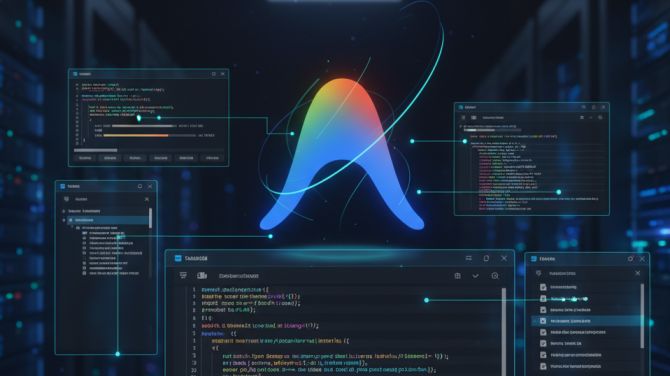
Google Antigravity is a new AI-powered IDE built for the agent-first era. It uses intelligent agents that can write code, run commands, test workflows, and interact with the browser. It works on most operating systems including Windows, macOS, and Linux. Antigravity is designed for trust and clarity, whether you're a professional developer, a student, or a hobbyist coding in your spare time.
Features
1. AI IDE Core
A modern editor with:
- Tab autocompletion
- Natural language code commands
- A context-aware, configurable agent
2. Higher-Level Abstractions
Shows tasks using simple artifacts like plans, steps, and verification results, helping you understand exactly what the AI did.
3. Cross-Surface Agents
Agents work across the editor, terminal, and browser at the same time, enabling complete end-to-end workflows.
4. User Feedback Integration
You can guide the agent by giving feedback through artifacts and outputs, helping refine results instantly.
5. Agent-First Experience
A mission control-style view lets you manage multiple agents across different workspaces.
6. Built for Every Developer
Designed for professionals, students, hobbyists, and creators—built with user trust as a core principle.
7. Free for Developers (Public Preview)
Currently available at no charge, making it accessible to everyone.
Model Support
Reasoning Models (User Selectable)
Choose from leading models directly inside the editor:
- Gemini 3 Pro (High)
- Gemini 3 Pro (Low)
- Claude Sonnet 4.5
- Claude Sonnet 4.5 (Thinking)
- GPT-OSS
Note: Model choice stays active during a conversation. Changes apply after the current step completes.
Additional Models (Automatic)
Used behind the scenes for different tasks:
- Nano Banana: For generative images and UI mockups
- Gemini 2.5 Pro UI Checkpoint: For browser actions (clicking, typing, scrolling)
- Gemini 2.5 Flash: For context summarization and checkpointing
- Gemini 2.5 Flash Lite: For semantic codebase search
Pricing
1. Individual Plan — Public Preview
- Price: $0/month
- Includes:
- Access to Gemini 3 Pro, Claude Sonnet 4.5, GPT-OSS
- Unlimited Tab Completions
- Unlimited Command Requests
- Generous Rate Limits
- Sign in with your Google Account
- Built for developers to “achieve new heights.”
2. Team Plan — Coming Soon
Built for organizations to help teams “level up together.”
3. Enterprise Plan — Coming Soon
A complete offering for large companies needing enterprise-level support.
Why Choose Antigravity
- Focus on architecture and logic while AI handles repetitive steps
- Clear task outputs and artifacts for transparency
- Works smoothly for frontend, backend, and full-stack development
- Saves time with automated setup, testing, and debugging
- Supports most operating systems
- Free to use during the preview
- Suitable for solo developers and, soon, teams and enterprises
Use Cases
1. Project Setup
Generate React, MERN, Node, or other starter structures quickly.
2. Feature Development
Build backend APIs, components, and logic using simple natural language instructions.
3. Code Cleanup & Refactoring
Refactor old files, improve patterns, and modernize code automatically.
4. Testing & Deployment
Create test files and generate CI/CD pipelines for Netlify, GitHub, or Vercel.
5. Learning Support
Get explanations for functions, simplify complex logic, or understand unfamiliar code.
MCP Support
Antigravity supports the Model Context Protocol (MCP), allowing the editor to connect securely to your tools, databases, and external services.
What MCP Enables
- AI can read live schemas, logs, or project data
- No manual copy-paste of context
- Access to custom tools like creating issues or searching documentation
Connecting MCP
Use the built-in MCP Store: “… menu → MCP Store → Install → Authenticate.”
Custom servers can be added by editing mcp_config.json.
Supported Integrations
Includes: GitHub, Notion, Linear, MongoDB, Supabase, Neon, Netlify, Heroku, Figma Dev Mode, PayPal, Prisma, Pinecone, Stripe, Redis, and more.
Code with Confidence
Google Antigravity is powerful, but the real value comes from how you use it. Start by exploring simple tasks, understand the artifacts it produces, and gradually trust agents with bigger workflows. Use Antigravity as a partner, not a replacement. The developers who grow fastest are the ones who combine AI efficiency with human judgment.