
Why React Components Render Twice in Strict Mode
AI Summary
Get a quick overview of the key points
Tap Generate Magic to let AI read for you.
Have you ever added a console.log() inside a React component and noticed it printing twice?
You might think your component has a bug or React is doing unnecessary work. But if you're running your app in development mode, the reason might be React Strict Mode.
Let's understand why this happens, how to reproduce it, and whether you should worry about it.
1. What Is React Strict Mode?
StrictMode is a React development tool that helps identify potential problems in your application.
It doesn't render extra UI or change your production app's behavior directly. Instead, it performs additional checks during development to help you find bugs earlier.
You can enable it by wrapping your application with StrictMode:
jsx1import { StrictMode } from "react";
2import { createRoot } from "react-dom/client";
3import App from "./App";
4
5createRoot(document.getElementById("root")).render(
6  <StrictMode>
7    <App />
8  </StrictMode>
9);
In many React projects created with Vite, Strict Mode is already enabled in main.jsx.
2. Why Does React Render Components Twice?
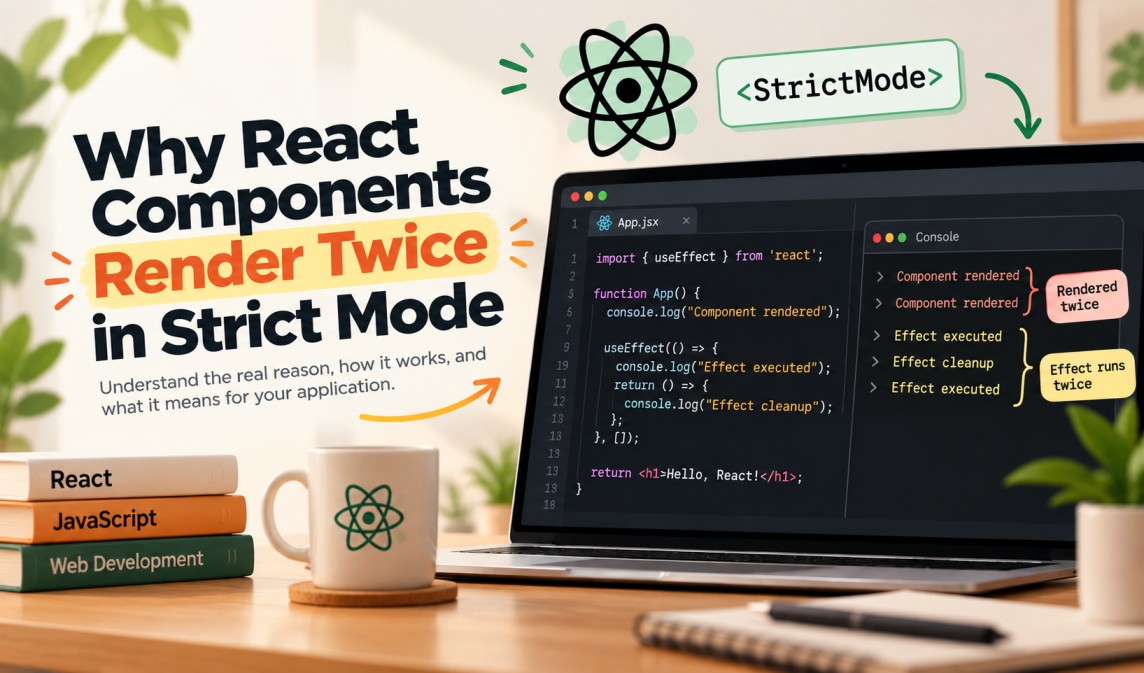
React may call your component function twice during development when Strict Mode is enabled.
Consider this example:
jsx1function App() {
2  console.log("Component rendered");
3
4  return <h1>Hello, React!</h1>;
5}
6
7export default App;
You may see this output in the console:
text1Component rendered
2Component rendered
Why?
React intentionally calls your component function an extra time in development to help detect impure rendering.
A component should ideally return the same UI for the same props, state, and context. It shouldn't modify external variables, make network requests, or perform other side effects while rendering.
For example, this component is impure:
jsx1let count = 0;
2
3function App() {
4  count++;
5
6  return <h1>Count: {count}</h1>;
7}
Its output depends on a variable that is modified during rendering. Extra render calls can expose this kind of problem.
Important: React doesn't necessarily commit both render results to the screen. The extra call is a development check.
3. Why Does useEffect Run Twice?
You might also notice an effect running twice:
jsx1import { useEffect } from "react";
2
3function App() {
4  useEffect(() => {
5    console.log("Effect executed");
6
7    return () => {
8      console.log("Effect cleanup");
9    };
10  }, []);
11
12  return <h1>Hello, React!</h1>;
13}
14
15export default App;
With Strict Mode enabled, the initial development sequence is generally:
text1Effect executed
2Effect cleanup
3Effect executed
React performs an extra setup-and-cleanup cycle to check whether your effect handles cleanup correctly.
This helps expose issues such as:
- Event listeners that are never removed.
- Timers that keep running after a component is removed.
- Subscriptions that aren't cleaned up.
- Requests or other external operations that aren't handled safely.
The exact console ordering can vary depending on other rendering and logging behavior.
4. Does This Happen in Production?
No. Strict Mode's extra development checks do not run in production builds.
| Behavior | Development with Strict Mode | Production |
|---|---|---|
| Extra component function call | Yes, when applicable | No |
| Extra initial effect setup and cleanup | Yes, when applicable | No |
| Normal state updates and re-renders | Yes | Yes |
Remember that components can still render multiple times in production because of state changes, updated props, or context changes. Only the extra Strict Mode checks are development-only.
5. Should You Remove Strict Mode?
Usually, no.
You can remove the StrictMode wrapper, but doing so hides useful development checks rather than fixing the underlying problem.
Instead, make sure your components render without unintended side effects and that your effects clean up correctly.
For example, an event listener should be removed when the effect is cleaned up:
jsx1import { useEffect } from "react";
2
3function App() {
4  useEffect(() => {
5    function handleResize() {
6      console.log("Window resized");
7    }
8
9    window.addEventListener("resize", handleResize);
10
11    return () => {
12      window.removeEventListener("resize", handleResize);
13    };
14  }, []);
15
16  return <h1>Resize the browser window</h1>;
17}
18
19export default App;
Now React can safely perform its extra setup-and-cleanup check during development.
6. Key Takeaways
- React Strict Mode helps identify potential bugs during development.
- React may call component functions twice to detect impure rendering.
- Effects receive an extra initial setup-and-cleanup cycle in development.
- The extra Strict Mode checks do not run in production.
- Keep Strict Mode enabled and write components and effects that behave correctly when repeated.
Conclusion: If your React component renders twice in development, don't immediately assume something is broken. It may be Strict Mode helping you find bugs before your users do.